


Hello,
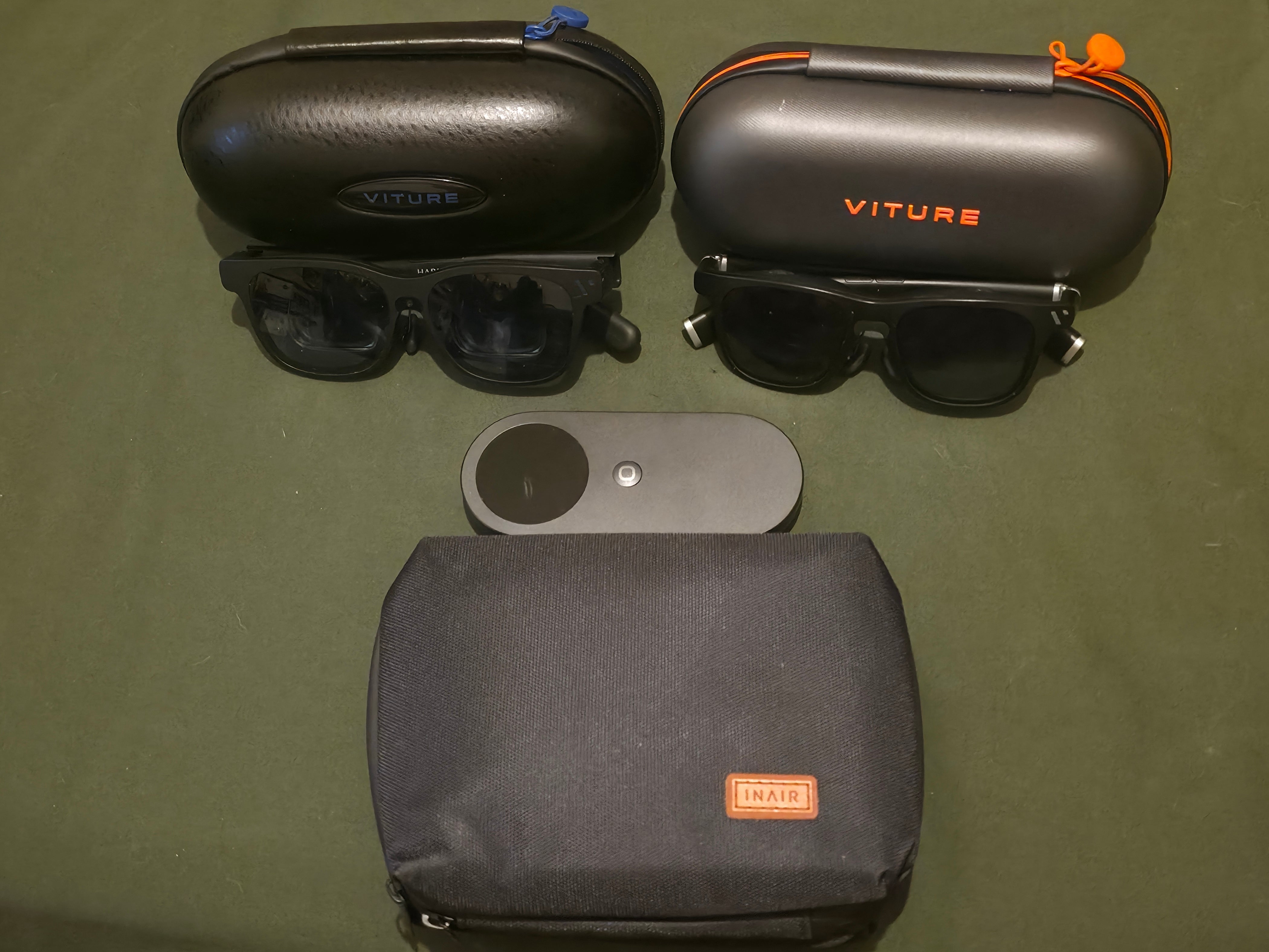
I'm Shawn, and this is my first written review of the INAIR POD and two pairs of glasses that aren't fully supported. Why use glasses that aren't fully supported? Great question. Because I love a challenge and pushing the limits of new tech. A video is currently in production, so stay tuned.
To begin:
As an early tech enthusiast, I quickly pulled up Amazon, saw it was on sale, placed my order, and anxiously camped on my porch until the package arrived.
*The Package*
More nervous than a school kid on prom night, I ripped—I mean, I unboxed—the package. It was simple, It's no-nonsense. The POD and a rubber piece to stop the cord from wiggling to maintain a constant connection. Simple, no fuss, no muss.
The only thing I wish they had added was a USB-C cable with the device. I have tons of cables, yes, but I'd like their official cord so I know I've got the best cord for the device.
I wanted to give this a 5. An official cord would have been the icing on a delectable cake.
4/5
*The INAIR POD*
"What in the world is this thing?" The POD was not much to look at. Light in the hand but heavy enough not to feel like a cheap piece of plastic, and the fan kept it cool. More on that later.
As giddy as a schoolgirl, I immediately booted it up, and it crashed. There was just a flickering line at the bottom. Then it hit me; as of this writing, the Beast isn't fully supported. Yet. So I tried again.
Booted it up, and immediately there was just a flickering line at the bottom. Then I remembered the Beast isn't fully supported yet, so I tried a trick I used on the neckband. I toggled 3D on then off and booted up into the INAIR OS. It had a nice 3D look and feel. But be warned, updating the POD killed the 3D on the Beast. I'll take the blame for this as I'm using unsupported hardware, or at least not yet supported. Round 2: I popped out the VITURE ONEs, and boom, the 3D was back and beautiful. Oh glorious day. I just wish it had a back key—the cherry on top.
5/5
*INAIR OS*
How can a custom version of Android work so well, yet be so broken? Most things work, yet simple things do not. I can run some demanding programs with the device's specs, but I can't take TikTok or Instagram off my home screen or rearrange apps alphabetically. With my limited access, I only was able to manage 3 screens at once, not six, but that will change with future updates. So what if you need more than Android can offer, a different OS, so to speak? Funny you mention that.
4/5
*The Wakey*
So this little piece is pretty cool. It's a little square that connects to your PC or laptop. It will also wake your laptop from sleep or hibernate, which I found very useful. I have only tried it with Windows, but it worked very well. Setting it up was a breeze; as long as your POD and PC are on the same Wi-Fi, you just enter a 4-digit code and you're paired. One VERY important note: The PC software for INAIR will give a FALSE positive as malware or a virus; it's not. Install, connect, and watch some magic happen.
4.5/5 (Had some issues coming out of sleep mode)
*Battery Life*
The POD has a 5000 mAh battery, and it lasts quite a while. Compared to other devices, I've been getting close to 3 and a half to 4 hours with full 3D on YouTube, which is really good for a companion device. One thing I want to point out: in my YouTube 3D test, the POD got hotter than a GenX metal playground slide in July. Even when I flipped it upside down so the fan had plenty of breathing room, it still ran warm. The good news is it cooled down fast once the workout was over, like it remembered it left the oven on.
On a side note, the INAIR hub is $99.99 play and charge. The VITURE play and charge adapter was on sale on Amazon for $19.99 and works just as well. Same job, smaller dent in the wallet.
5/5
*Retro Gaming*
Like trying to eat just one bite of that cake, I can't resist adding retro games to a new device. I hooked it into my computer, transferred some legally owned ROMs, and fired up RetroArch. A weird thing happened. I had a lot of lag and latency, so I tried again with my ONEs and had no lag, no latency, and Mario 3 in 3D looks amazing, LOL. I'm guessing it's a bug that will be worked out in the future. Thankfully, INAIR support responds quickly on Discord and to their email.
5/5
*Dungeons and Dragons Online*
OMG, this is the perfect device for D&D or other tabletop RPGs to play online. I can only have three windows open right now. That being said, I have my character sheet, Roll20, and Discord as my windows. The microphone in the Beast is top-notch and has excellent noise canceling, to the point I was able to play in bed while my wife watched TV. The Discord group couldn't hear the TV, and my wife wasn't bothered by my shenanigans. What a marriage saver. This device is perfect for these types of games. This will be fully reviewed real soon, so stay tuned as I'm very excited to deep dive into these dungeons.
5000 / 5 (It's that great)
*Casting*
So, if you go into settings and click at the top left, it brings up your account. Click under where it says "logout" until a secret menu pops up; casting is an option there. Once you turn it on (there are other options to play with too), you can cast directly from the Pod's touchscreen to a smart TV and what not. This is a fantastic feature and can be used WITHOUT glasses.
5/5
*In Closing*
Are there bugs with the Beast and the POD? Yup. But they are not yet completely compatible devices. I am planning to do a versus review with the Neckband Pro. Tune in soon for that battle. So far, I love the device. With VITURE and INAIR as partners now, I am incredibly excited to see what the future holds. Watch Reddit for more on these devices as we review them and provide updates on how we integrate this technology into our everyday lives.
Device overall 4.75/5
This review is sourced from:https://www.reddit.com/r/INAIR/comments/1rhk310/first_impressions_review_of_inair_pod/
共有:
Two Weeks Living With the INAIR Elite Suite Spatial Computer as a Designer and Student
POD VS Neckband Pro