


The Ultimate Guide to Real-Time 2D to 3D Conversion in Spatial Computing

What is Real-Time 2D to 3D Conversion?
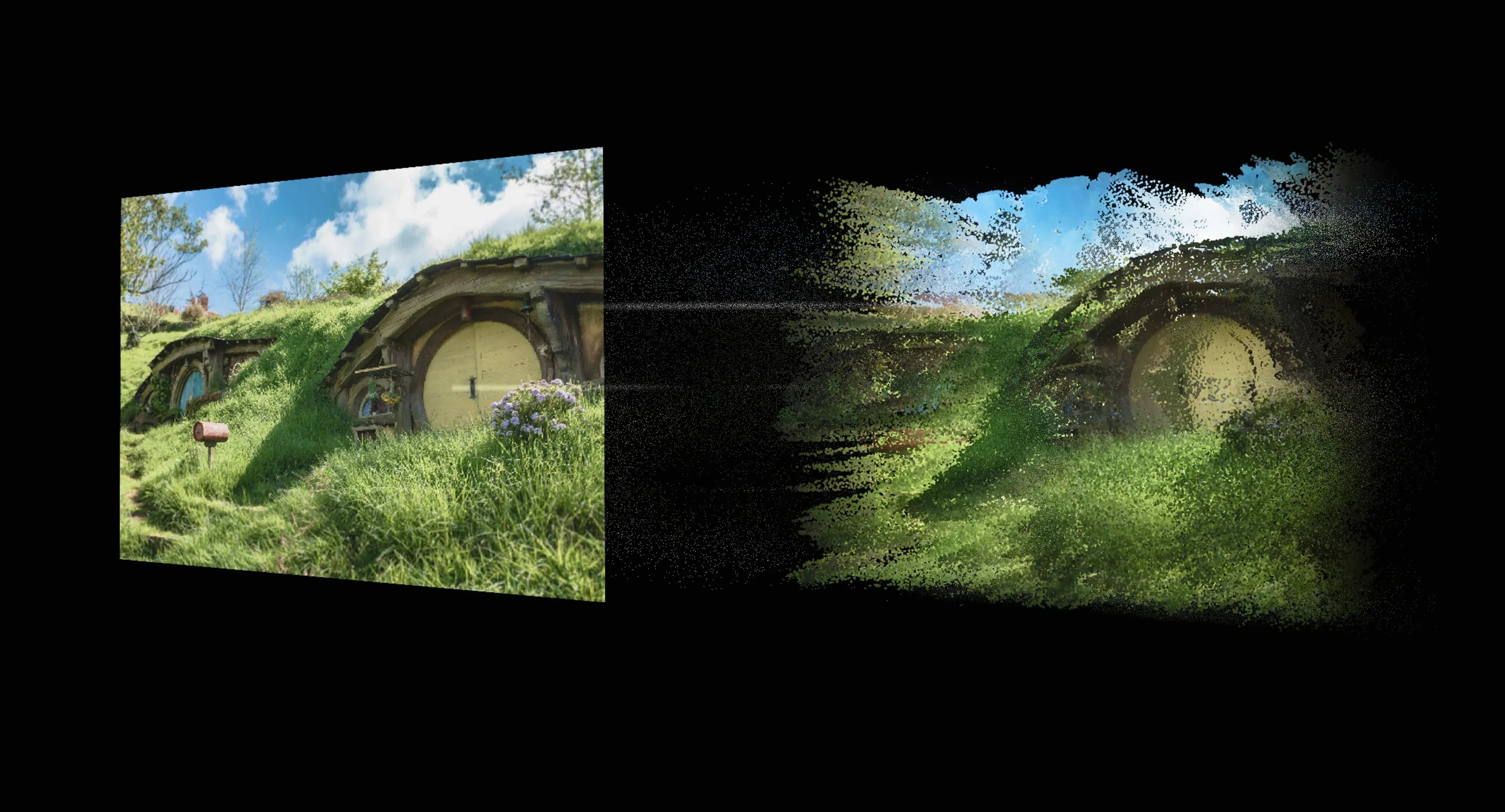
Real-time 2D-to-3D conversion is a transformative technology that uses AI and GPU-accelerated algorithms to instantly generate depth maps, turning standard flat videos, images, or apps into stereoscopic 3D. While traditional methods rely on bulky PCs causing severe latency, modern spatial computers like the INAIR Pod utilize advanced Vision Transformer (ViT) models to deliver lag-free, comfortable 3D experiences directly to AR glasses like XREAL and VITURE.
The Bottleneck: Why Desktop Software and Phone OS Fail at 3D
If you browse forums looking for real-time 2d to 3d conversion solutions, you'll find a common frustration. Tech enthusiasts often try to use desktop plugins (like iw3) to force 3D effects. The result? Even on a high-end RTX 4080 GPU, users experience heavy mouse lag, low framerates, and a tethered, clunky experience.
On the other hand, relying purely on a smartphone OS to drive AR glasses presents another issue. iOS and Android are built for 2D touch interfaces and interruption-driven workflows (notifications, calls), not continuous spatial immersion.
To achieve true real-time 3D without draining your phone's battery or relying on a noisy PC, you need a decoupled architecture—a dedicated "Super Brain" built specifically for spatial computing.
To help you evaluate the best approach for your needs, here is a quick comparison of the three most common 2D-to-3D conversion methods available today:
| Feature / Method | Desktop PC Plugins (e.g., iw3) | Smartphone Tethering (iOS/Android) | Dedicated Spatial Hub (INAIR Pod) |
| Real-Time Latency | High (Heavy mouse/UI lag) | Medium (Prone to stuttering) | Ultra-Low (Dedicated AI Chip) |
| Conversion Quality | Basic (Often "cardboard" effect) | Basic (Limited phone processing) | Advanced (ViT Foundation Model) |
| Multi-Window Support | Yes, but tethered to a desk | No (Usually 1 screen only) | Yes (Up to 6 Spatial Windows) |
| Portability | Zero (Bound to a heavy PC) | High | High (Pocket-sized, standalone) |
| Battery Impact | N/A (Requires wall power) | Drains phone battery rapidly | Standalone battery (4+ hours) |
As the table shows, if you want a portable, lag-free experience without sacrificing your phone's battery, a decoupled device like the INAIR Pod is the only viable solution for true spatial computing.
Beyond the Gimmick: The AI Science of INAIR's "Dizziness-Free" 3D
Many early 2D-to-3D features earned a bad reputation. They relied on small, basic computer vision models that merely created a "cardboard cutout" effect. They pushed objects back slightly but failed to understand complex spatial relationships, causing visual discord, eye strain, and dizziness.
INAIR solves this fundamentally by utilizing a large-scale Vision Transformer (ViT) foundation model.
Instead of localized guessing, the INAIR AI 3D Rendering Engine understands the entire global context of a scene. It intelligently processes occlusions, transparent materials (like glass or water), and contours.
The Result: A natural, nuanced depth that aligns perfectly with your brain's visual processing. You can binge-watch a 3D movie on Netflix, scroll through volumetric TikToks, or read spatial webpages for hours with zero eye strain.
The Killer Feature: A 6-Window Spatial Workspace
Converting a movie into 3D is magic, but true spatial computing requires productivity. Once you connect the INAIR Pod to your AR glasses, you aren't just getting a 3D media player; you are unlocking the INAIR OS.
Unlike traditional laptops bottlenecked by physical screens, or competitors limited to 1-2 displays, the INAIR Pod allows you to:
-
Manage up to 6 virtual windows simultaneously.
-
Keep your 3D Netflix stream in the center, while anchoring Twitter, Google Workspace, and Slack around you in physical space.
-
Interact seamlessly with ultra-low latency using a highly responsive Air Mouse or the INAIR foldable Touchboard.
The Universal Hub: Empowering Your Existing AR Glasses and TVs
What if you already own a pair of smart glasses? You don't need to start from scratch. The INAIR Pod is designed as an open ecosystem hub.
-
Supercharge XREAL, VITURE, and RayNeo:
Simply plug your existing AR glasses into the INAIR Pod via USB-C. You instantly upgrade them from simple "external monitors" into standalone spatial computers with full Google Play Store access, real-time 2D-to-3D magic, and extended battery life.
-
Shared 3D Home Theater (HDMI & Wireless):
Spatial computing shouldn't be isolating. With INAIR's standard HDMI output and latest Miracast wireless casting updates, you can share the magic:
-
Connect the Pod to a DLP-Link 3D Projector, grab some active shutter glasses, and turn your living room into a shared 3D cinema without needing special 3D video files.
-
Wirelessly cast your entire 6-window spatial desktop to a smart TV for a collaborative work presentation.
Which 3D Setup is Right for You?
Still evaluating how real-time 3D conversion fits into your daily life? Here is how different users are building their setups:
-
For the Frequent Traveler (The Portable Cinema): If you spend hours on flights or trains, tethering to a laptop is a nightmare. Pairing your existing AR glasses (like XREAL) with the INAIR Pod gives you a private 135-inch 3D theater that fits in your pocket.
-
For the Remote Professional (The Spatial Office): If you are tired of Alt-Tabbing on a 13-inch laptop, the real-time 3D engine isn't just for movies. It renders your Google Workspace, Slack, and Zoom in a 6-window spatial layout, drastically reducing context-switching fatigue.
-
For the Family Tech Enthusiast (The Living Room Upgrade): If you want to share the experience, connect the INAIR Pod to a standard DLP-Link projector. The AI converts regular Netflix or Disney+ streams into 3D, turning movie night into a shared immersive experience for everyone in the room.
FAQ: Everything You Need to Know About Real-Time 3D
Q: Do I need special 3D video files to use INAIR's 3D feature?
A: No. INAIR’s proprietary AI engine automatically analyzes standard 2D video (like YouTube, TikTok, or local files) and instantly converts it into high-quality stereoscopic 3D in real-time.
Q: Will real-time conversion cause lag when I use my mouse or play games?
A: Unlike desktop PC software that struggles with latency, the INAIR Pod uses a dedicated System-on-a-Chip designed specifically for AI inference. The processing is highly optimized for ultra-low latency, ensuring a fluid, instantaneous experience.
Q: Does the INAIR Pod work without a smartphone?
A: Yes! The INAIR Pod features a decoupled architecture with its own processor, battery, and INAIR OS. It operates completely standalone, freeing up your phone and preserving its battery.
Q: Can I use the INAIR Pod with my TV if it doesn't support 3D?
A: Absolutely. If your TV or monitor lacks 3D support, the Pod will automatically display your content and your multi-window spatial interface in crisp 2D, making it an incredible productivity tool for any screen.
Ready to Build Your Spatial Workspace?
Real-time 2D to 3D conversion shouldn't be a clunky, laggy experiment reserved for high-end PCs. It should be a fluid, comfortable, and intelligent extension of your daily digital life.
Whether you are looking to supercharge the AR glasses you already own (like VITURE or XREAL) or want a complete, ready-to-use spatial computing kit, the decoupled architecture of the INAIR Pod offers the most advanced and comfortable solution on the market.
Don't let your AR glasses act as just glorified external monitors. [Explore the INAIR Pod Ecosystem] and see how Vision Transformer AI can redefine your digital reality today.

共有:
How To Put A Screen In A Glass Pipe For Cleaner, Smoother Sessions
The Secret to True Android Smart Glasses (Don't Replace Your XREAL or VITURE)