


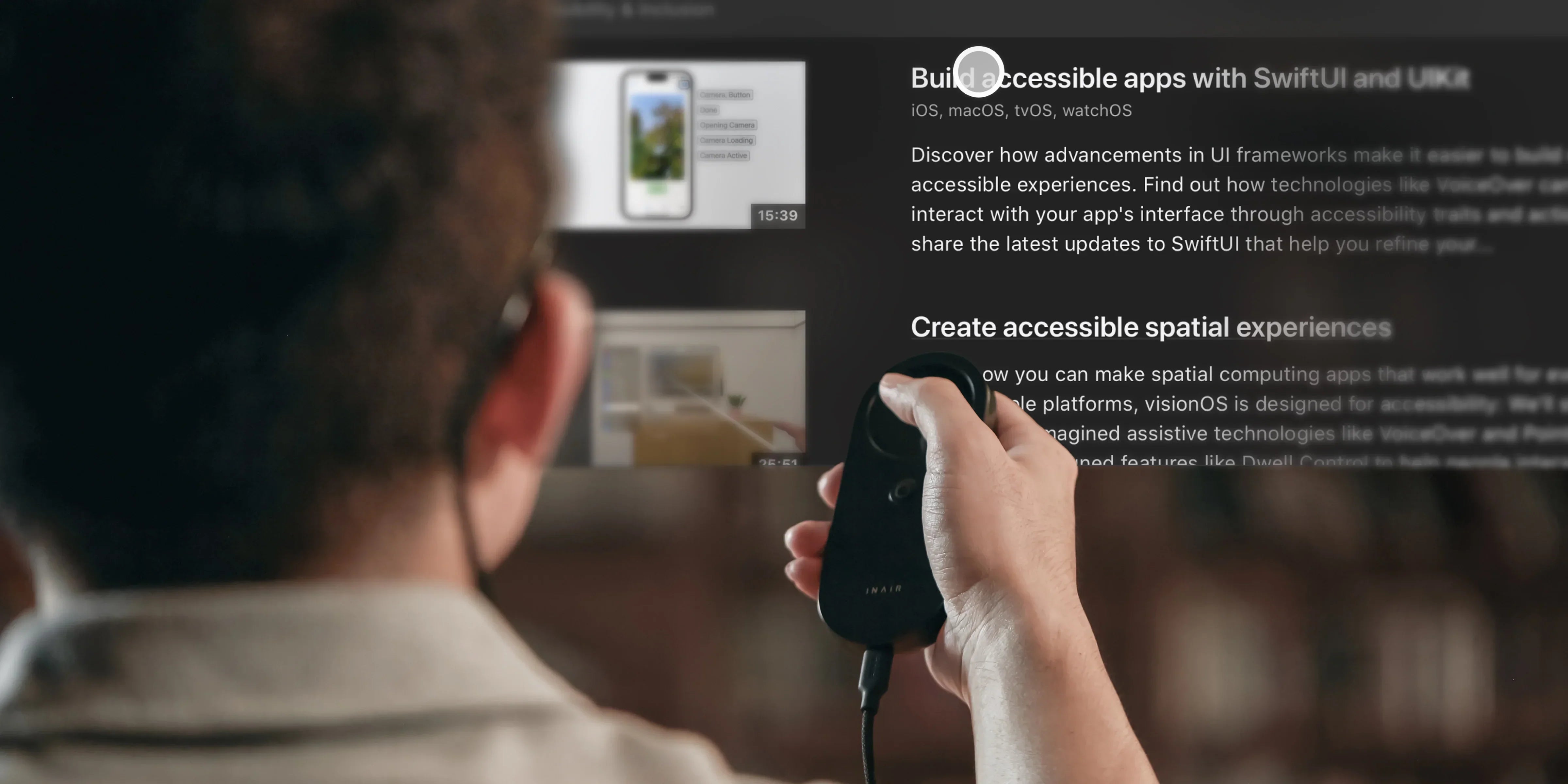
The Best Virtual Monitor Glasses Setup for Mobile Office in 2025
Ditch the Laptop Screen: The Ultimate Virtual Monitor Glasses Setup for Productivity
What are virtual monitor glasses?
Virtual monitor glasses are wearable displays that project high-resolution screens directly into your field of vision, effectively replacing physical desktop monitors. While standard AR glasses typically mirror a single screen from your phone or PC, combining them with a dedicated spatial computing hub—like the INAIR Pod—transforms these glasses into a full-fledged mobile office, allowing you to run up to 6 virtual workspaces simultaneously.
The Problem: Why "Screen Mirroring" Isn't True Productivity
If you've been reading roundups from tech sites about the latest smart glasses, you've probably noticed a glaring issue. Most devices on the market are highly focused on gaming (offering a single massive screen) or social media.
When professionals try to use them for work, they hit a wall. Simply tethering a pair of glasses to your smartphone or laptop usually gives you one mirrored screen. You are still endlessly Alt-Tabbing, your phone's battery drains rapidly, and navigating a desktop UI with a phone screen is frustrating.
To actually replace a physical multi-monitor setup, you need a system designed specifically for spatial multitasking.
Enter the INAIR Pod: Turn Any AR Glasses into a 6-Monitor Workstation
The secret to a true mobile office isn't just buying better glasses; it's giving those glasses a "Super Brain." The INAIR Pod is a pocket-sized, standalone computing hub that runs the powerful INAIR OS.
When you connect compatible virtual monitor glasses to the Pod, you unlock the ultimate productivity killer feature: Spatial Multi-Window Processing.
Instead of being limited to 1 or 2 screens, the INAIR Pod allows you to open and spatially arrange up to 6 application windows simultaneously. Imagine having your email on the left, a data spreadsheet in the center, Slack on the right, and a stock ticker hovering above—all anchored perfectly in physical space thanks to highly stable 6DoF tracking.

Visual Clarity and Interaction: Built for the "Computer Replacement"
When evaluating virtual monitor glasses for a digital workplace, the stakes are higher than watching a movie. You need to read fine text for hours.
1. Uncompromising Text Sharpness
Users consistently highlight the INAIR ecosystem's visual clarity. The rendering engine ensures that text in documents, code editors, and web pages remains extremely crisp with zero pixelation or flickering. This reduces eye strain, making it viable to work a full shift entirely in spatial mode.
2. The Air Mouse: Natural UI Control
How do you interact with 6 floating screens? The INAIR Pod features a highly responsive Air Mouse. Instead of clunky trackpads, you use intuitive, laser-pointer-like logic. Dragging, zooming, and rearranging your virtual workspace feels natural, instantaneous, and far superior to traditional AR gesture controls.
The Best Part? It Works With the Glasses You Already Want
Perhaps the biggest advantage of the INAIR Pod is its Ecosystem Flexibility. We don't believe in locking you into a walled garden.
Whether you already own a pair of VITURE, XREAL, or RayNeo glasses, the INAIR Pod acts as the ultimate upgrade. Simply plug your preferred AR glasses into the Pod via USB-C, and you instantly bypass their hardware limitations, giving them access to the Google Play Store, real-time 2D-to-3D streaming, and the full 6-window productivity suite.
Mobile Office Scenarios: Where Virtual Monitors Shine
- The Airplane Executive: Turn a cramped economy tray table into a sprawling, private, multi-monitor trading desk or coding environment. No one next to you can see your confidential screens.
- The Digital Nomad: Stop carrying heavy portable monitors in your backpack. Your entire workstation now fits in your sunglass case.
- The Focused Creator: Block out the distractions of a noisy coworking space and immerse yourself completely in your digital workflow.
FAQ About Virtual Monitor Glasses
Q: Will staring at virtual screens hurt my eyes?
A: High-quality spatial setups simulate a focal distance of several meters away, which is actually more relaxing for your eye muscles than staring at a laptop screen 15 inches from your face. Furthermore, INAIR's text sharpness algorithms eliminate the micro-flickering that usually causes eye fatigue.
Q: Do I need a powerful laptop to run 6 virtual monitors?
A: No! That’s the beauty of the INAIR Pod. It is a standalone computing device. It handles all the processing and multi-window rendering itself, meaning you don't even need to bring your laptop with you.
Q: Can I use regular Android or web apps?
A: Yes. The INAIR Pod includes access to the Google Play Store, allowing you to natively run Google Workspace, Microsoft Office, Slack, and almost any app you use for daily work.
H3: Ready to Redefine Your Workspace?
A single screen is no longer enough for modern workflows, but buying more plastic monitors isn't the answer. By combining the sleek form factor of modern AR glasses with the processing power of the INAIR Pod, the true mobile office is finally here.
Explore how the INAIR Pod ecosystem can transform your productivity and give you the spatial workspace you deserve.
共有:
The Secret to True Android Smart Glasses (Don't Replace Your XREAL or VITURE)
What is a Digital Workplace? The Evolution into AR and Spatial Computing