



As the augmented reality (AR) wave sweeps across tech and consumer markets, we’re faced with a dazzling array of AR glasses. But beyond the wow factor and futuristic aesthetics, a real question arises:
What kind of AR glasses do we actually need for everyday life, productivity, and immersive experiences?
Are we looking at clunky tech demos, or are we ready for something that’s lightweight, intelligent, and truly useful?
Spoiler: the answer is far more complex—and exciting—than “just another display.”
In this guide, we’ll break down what makes a truly next-gen pair of AR glasses, not just by specs, but by experience. And we’ll show how one product—the INAIR Spatial Computer—is redefining the category entirely.
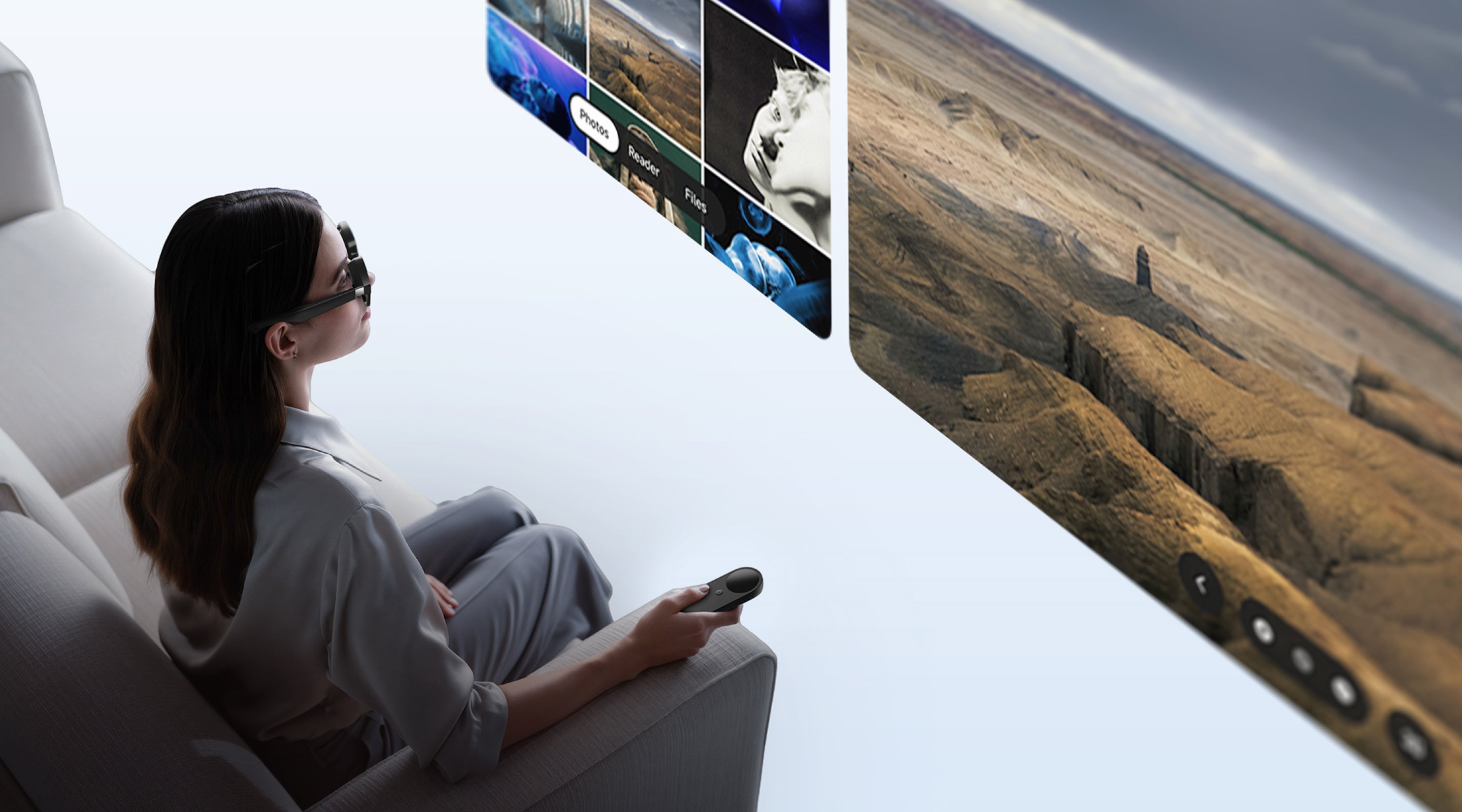
The what AR glasses to buy in 2025 or wondering what separates gimmicky headsets from real productivity tools, here are the four key features you should demand.
1. All-Day Comfort and Seamless Fit: Because You’ll Actually Want to Wear Them
Let’s be real: no one wants to wear heavy, front-heavy glasses that pinch your nose or heat up like a toaster after 30 minutes. The best AR glasses are lightweight, with balanced weight distribution and passive cooling that keeps them comfortable—even for extended use. If you forget you’re wearing them, that’s a win.
2. Crisp, Full-Focus Visuals That Don’t Hurt Your Eyes
AR should be immersive, not dizzying. A great pair of AR glasses must go beyond high resolution—they need to offer edge-to-edge clarity with zero distortion or blurring. Look for models that use remote imaging tech to simulate long-distance viewing, which is easier on the eyes and certified for vision health.
3. True Spatial Computing—Not Just a Fancy External Monitor
Here’s the game changer: spatial computing AR glasses don’t just mirror your phone—they replace your computer. The ideal setup includes an independent operating system, robust processing power, and a rich app ecosystem that supports multi-tasking, 3D interaction, and creation.
4. Smart, Natural Interactions + Strong Privacy by Design
Forget clunky buttons. The best AR glasses support gesture control, voice commands, and intelligent scene recognition. They offer flexible connectivity—wired for low latency, wireless for freedom, and even standalone mode. Most importantly, built-in privacy features like anti-peep displays and directional audio ensure your data stays yours—even in crowded spaces.
INAIR Spatial Computer: Setting the Gold Standard for AR Glasses
Meet the INAIR Spatial Computer—not just another AR headset, but a fully-fledged mobile computing system built for the real world.
Let’s break down how it checks every box:
✔️ Ergonomics & Eye Health First
-
Balanced weight for no nose pressure or temple fatigue
-
Passive cooling for long wear sessions
-
SGS A+ vision protection certified
-
Remote imaging design for comfortable, long-term use
✔️ Stunning Visuals, Immersive Experience
-
Micro-OLED + advanced waveguide display
-
Ultra-sharp visuals with vibrant colors
-
Eliminates common AR issues like edge blur
-
INAIR’s patented electrochromic dimming lets you switch between transparent and immersive modes with a simple swipe
-
Smart ambient sensing: becomes transparent when you look down to type
✔️ Powerful Spatial Computing Platform
-
Runs INAIR OS, a custom 3D operating system
-
Up to 6 virtual 140-inch screens in parallel
-
Comes with a foldable keyboard and INAIR Pod
-
Supports full-featured screenless computing and multitasking
✔️ Game-Changing Real-Time 2D-to-3D Conversion
-
Proprietary AI engine converts any movie, game, or desktop UI into immersive 3D in real-time
-
No need for special 3D content or apps—everything becomes 3D-ready
-
A true leap forward in mixed reality entertainment
AR Glasses FAQs: Answering the Top Questions Buyers Ask
Q:Can AR glasses really replace my monitor?
A:Absolutely—if you get the right pair. With something like the INAIR, you’ll get giant virtual displays with ultra-high pixel density and no physical constraints. It’s a step beyond traditional monitors.
Q:Is my content safe from prying eyes in public spaces?
A:Yes. INAIR uses electrochromic lenses to block outside viewing and directional audio tech to send sound straight to your ears. When connected to a PC, it even auto-dims the laptop screen for extra privacy.
Q:What’s the difference between “AR display” and “spatial computing”?
A:Think of AR display as a floating window for your phone—it’s limited. Spatial computing anchors your entire digital workspace into your physical space, enabling manipulation, creation, and multi-screen workflows in true 3D.
Q:Is the 2D-to-3D function just a gimmick?
A:Not at all. INAIR’s 2D-to-3D AI algorithm reconstructs depth and dimensionality in real time—no paid upgrades, no waiting. It works on most games, videos, and UIs. It’s3D.
Final Thoughts: The AR Glasses We Deserve
The AR glasses we need are not tech toys or half-baked concepts. They’re:
-
Comfortable for all-day wear
-
Sharp and healthy for the eyes
-
Fully capable of replacing laptops and monitors
-
Smart, private, and immersive
That’s exactly what the INAIR Spatial Computer delivers. It’s not just keeping up with trends—it’s setting the future standard for human-computer interaction.
Ready to dive in? Head to inairspace.com or the Amazon INAIR official store and unlock your AR era today!
Share:
Say Goodbye to Decision Fatigue: A Pro's Guide to Choosing the Perfect AR Glasses
INAIR 3D Kit – (for Projector) – Your Projector’s New Best Friend and the Ultimate AR Glasses Companion