


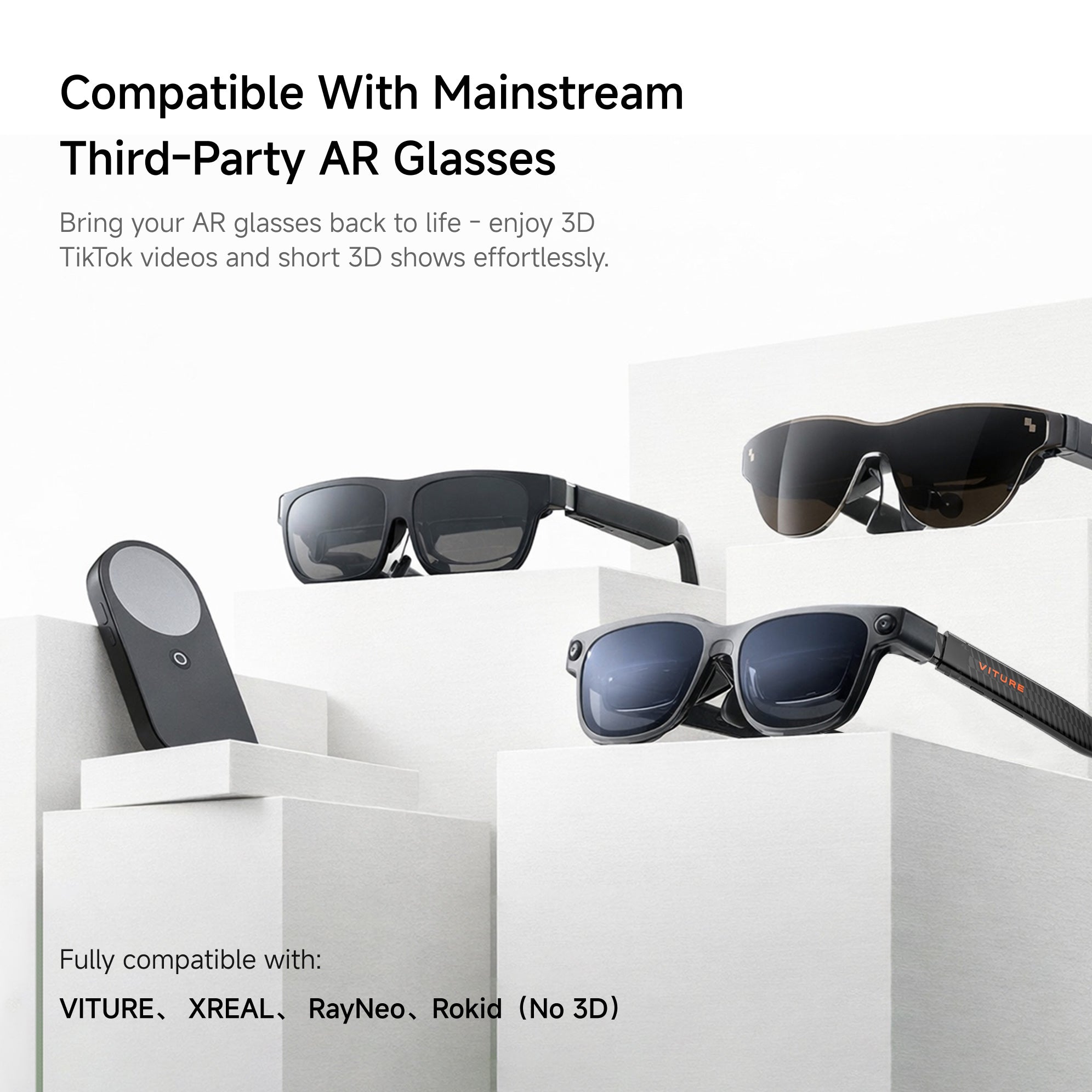
Your investment in AR glasses is now more valuable than ever, as a single device can unify your entire ecosystem of displays.
For early adopters of spatial computing, one of the biggest frustrations has been ecosystem lock-in. You invest in a pair of AR glasses, only to find your options limited by a specific device or platform.
What if the "brain" of your spatial computer could be separate from the "eyes"? The latest over-the-air update for the INAIR Pod makes this a reality, transforming it from a companion device into a universal smart glasses hub.
By extending support to leading third-party AR glasses, INAIR is betting on an open ecosystem where your preferred display can meet our powerful spatial operating system.
The Philosophy of Open Compatibility: Your Glasses, Your Choice
The decision to support a wide array of third-party devices is rooted in a user-centric philosophy. It acknowledges that users have different preferences for fit, style, and prior investments.
This move transforms the INAIR Pod into a versatile central hub. Whether you own a pair of XREAL glasses, prefer Viture, or started your journey with RayNeo, your hardware is no longer obsolete.
The Pod becomes the common denominator that delivers a premium, consistent software experience—INAIR OS—across different hardware platforms.
Officially Supported Devices: A Growing List
Following the new OTA release, the INAIR Pod has been verified to work seamlessly with the following glasses and displays, ensuring core functionality and stability:
-
INAIR 2 Pro: For the full, native experience with multi-window support.
-
XREAL Series: Including the XREAL Air, XREAL Air 2, Xreal One and One Pro.
-
Viture AR Series: The popular Viture One and other models in their AR lineup.
-
RayNeo AR Series: Including devices like the RayNeo X2.
-
DLP-Link 3D Projectors & Monitors: For transforming your living room into a shared 3D theater.
This list represents our current validation, and the team is continuously testing and optimizing for more models based on community feedback.
What Features Travel Across Devices? Core Capabilities Unleashed
Connecting a third-party pair of glasses to the INAIR Pod unlocks a significant portion of its spatial computing suite. Here’s what you can expect:
For All Connected Glasses (Including Third-Party):
-
High-Quality Single-Window Display: The primary screen functions flawlessly, turning your glasses into a massive, private monitor.
-
Full App Ecosystem: Access and use apps from the Google Play Store, the INAIR mobile app, and wireless PC streaming via INAIR Space.
-
Revolutionary AI Visual Features: This includes the headline real-time 2D→3D conversion for videos, cloud-based video-to-3D processing, and AI voice commands.
-
Essential System Operations: Take screenshots, record your screen, use external keyboards/mice or game controllers, and secure your Pod with the fingerprint lock.
Enhanced for Native & Select Third-Party Glasses:
-
Multi-Window Mode: The signature feature of pinning multiple apps in space is fully supported on INAIR glasses and is also available on some XREAL models, with optimization for others underway.
-
Advanced Window Control: Resize windows, adjust their virtual distance, and switch between landscape and portrait orientations.
A Living System: Your Feedback Drives Compatibility Forward
A key point is that compatibility is not a static checklist. The INAIR software team treats this as an ongoing process. User reports and community requests directly inform the development roadmap.
If you own a pair of glasses not yet on the official list, they may still function, and your experience shared on forums like Reddit or Discord helps prioritize which models to officially support and optimize next.

Q&A: Your Third-Party Compatibility Questions Answered
Q1: Will my third-party glasses get the exact same experience as INAIR glasses?
A: You will get the core INAIR OS experience, including the AI 3D conversion and app ecosystem. The main potential difference lies in multi-window support, which utilizes specific hardware-software integration. This feature is fully active on INAIR glasses and some XREAL models, and is being actively adapted for others based on demand and technical feasibility.
Q2: I have an older model of XREAL/Viture glasses. Will they work?
A: It's very likely. The compatibility is often tied to the device's standard video-input protocol over USB-C. If your glasses can act as an external display for a phone or laptop, they have a high chance of working with the Pod for single-window mode. Check the official list for specific series names, and feel free to test and share your results with the community.
Q3: How do I physically connect my third-party glasses to the INAIR Pod?
A: The connection is straightforward. Use a compatible USB-C cable (often the one that came with your glasses) to connect the glasses directly to the INAIR Pod. The Pod should power on and detect the display automatically.
Q4: How often will compatibility be updated?
A: INAIR delivers regular monthly OTA (Over-the-Air) updates. These updates frequently contain performance improvements, new features, and expanded compatibility optimizations. The best way to stay informed is to join the official INAIR community channels.
Q5: Is using the Pod with my existing glasses a cost-effective way to upgrade?
A: Absolutely. Instead of purchasing a completely new glasses-and-computer system, you can upgrade just the "brain" by adding the INAIR Pod. This grants your existing glasses powerful new spatial computing and AI features, protecting your initial investment and extending the useful life of your device.
Share:
INAIR Pod Connection Guide for Projectors or External Displays: Real-Time 2D-to-3D Home Theater Setup Guide
Beyond the Gimmick: The AI Science Behind INAIR's Truly Immersive 3D